
Getting Started
Command Palette Workflow
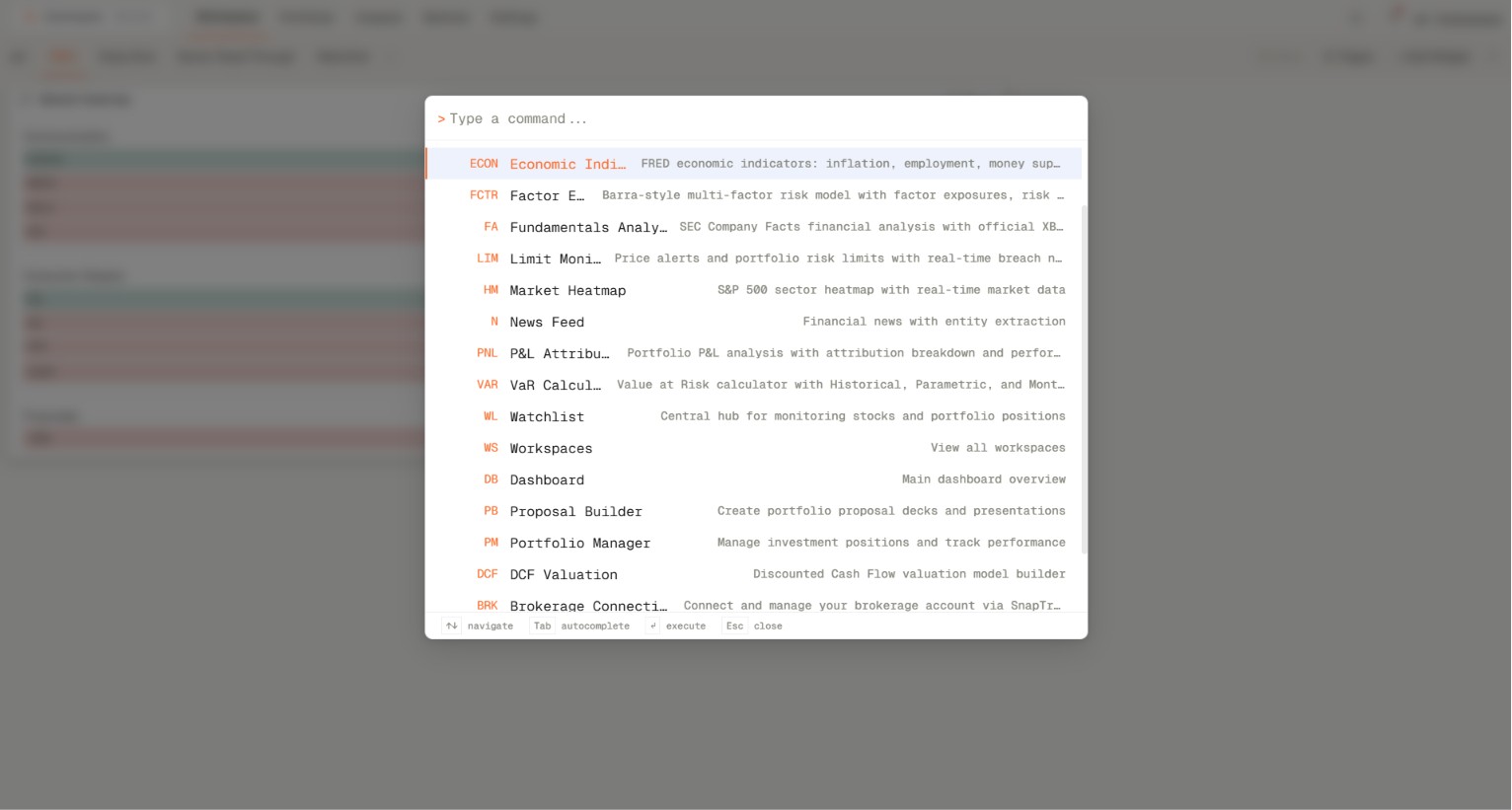
The command palette is the fastest way to open routes and widget commands without hunting through menus. It supports navigation commands such as Workspaces, Dashboard, Settings, Proposal Builder, Portfolio Manager, and widget shortcuts like VAR, FCTR, and WL.
The command palette is the fastest way to open routes and widget commands without hunting through menus. It supports navigation commands such as Workspaces, Dashboard, Settings, Proposal Builder, Portfolio Manager, and widget shortcuts like VAR, FCTR, and WL.
How to access
- Press ' on your keyboard or use the shortcut Ctrl+K or Cmd+K to open the command palette.
- Type the route or widget you want, such as Proposal Builder, Portfolio Manager, VAR, FCTR, or WL.
- Select the command that matches the feature name.
- Press Enter to open the matching widget action.
Related topics
- Keyboard
- Navigation
- Widgets