
Portfolio Operations
Positions
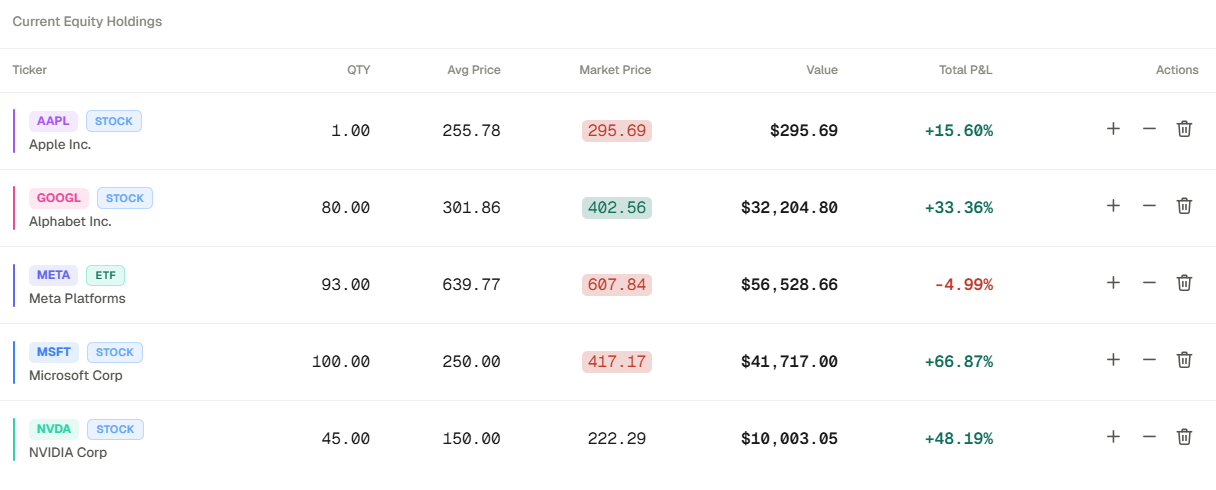
Positions is the holdings tab inside Portfolios. It is the quickest way to verify what is currently owned, what the book is worth, and how recent activity changed P&L.
Positions is the holdings tab inside Portfolios. It is the quickest way to verify what is currently owned, what the book is worth, and how recent activity changed P&L.
How to access
- Open Portfolios from the main navigation.
- Select the /"+" button to add a new position to the portfolio.
- Enter ticker, the quantity, Asset type, price, and date for the new holding for the position to appear in your portfolio.
Related topics
- Portfolio Tab
- Holdings
- P&L