
Workspaces
Workspace
Build and organize multi-page research workspaces with configurable widgets, layouts and portfolio-linked groups.
How to Use Your Workspace
YouTubeGenesis Guide video tutorial · 23 sec
Workspace is the customizable research surface in Genesis Risk Monitor. Use it to organize widgets across pages and keep the information you review together.
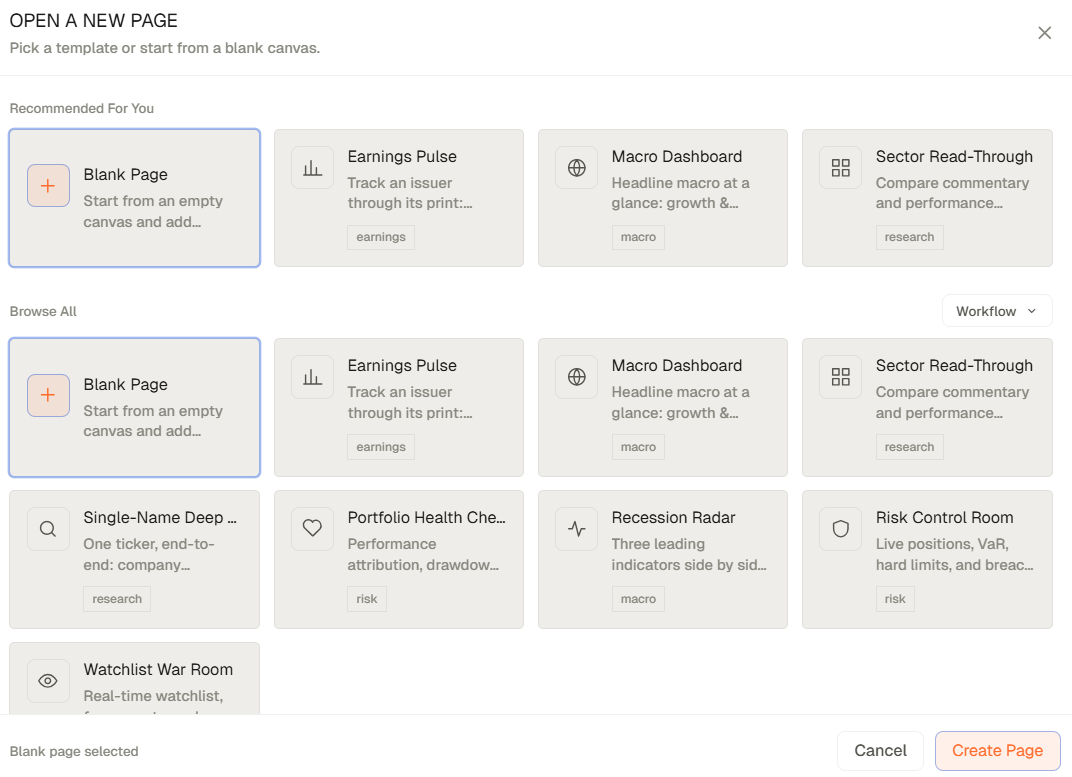
How to use Workspace
- Open Workspace from the main navigation.
- Use the page controls to add or rename pages.
- Open the Widget Catalogue to add the widgets you need.
- Use each widget's settings to configure its data source and, where supported, connect widgets through a shared portfolio group.
- Drag and resize widgets until the page matches your workflow. The layout is saved as you work.
Related topics
- Widget Catalogue
- Workspace pages
- Portfolio-linked widgets
- Research workflow